 Qelvori
Reminders before money leaves
A nudge a few days before each bill, from the tray, even with the window closed.
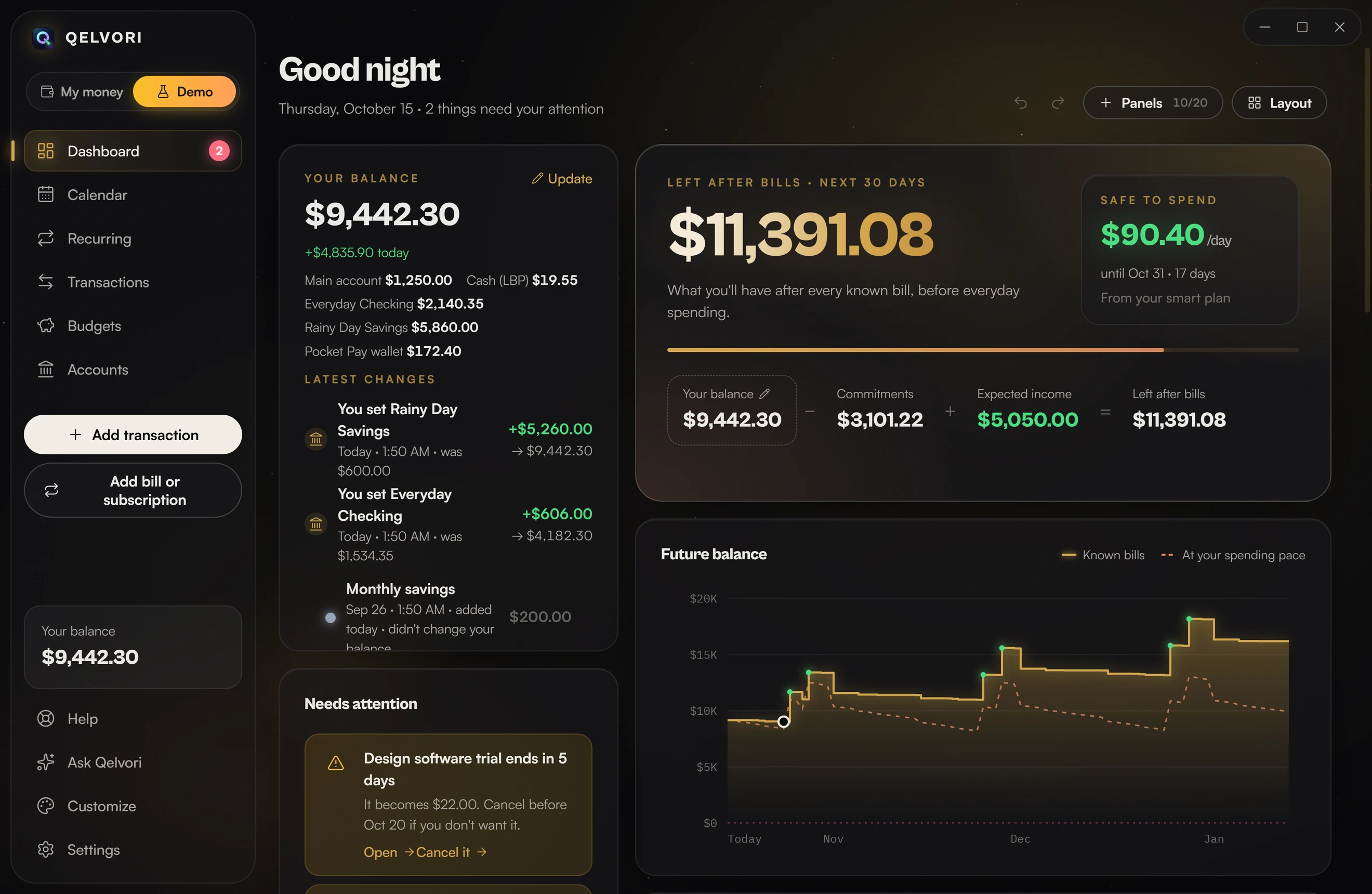
Qelvori shows your bills, subscriptions and balance for the next 90 days, and finds what you pay for in your Gmail receipts. Everything stays on your computer or phone.
Free to download. No sign-up. See how it works
Rent, phone, insurance, salary and subscriptions become one line: your balance on every day ahead. Scroll and watch the next three months fall into place.
Link your personal and work Google accounts. Qelvori reads the receipts on your computer and lists what each account pays for, merged into one total or split by account. How Qelvori uses your Google data
Smart budgeting builds this plan from your income, bills and subscriptions, and keeps it up to date on its own. Every number fills itself in, and any of them can be yours instead. Plus is free for your first 14 days in the app, no card needed.
Set aside first
What changed since Oct 9
A nudge a few days before each bill, from the tray, even with the window closed.
Know before a free trial turns into a charge, and see when a subscription raises its price.
A limit per category for a period that starts on any day, or when your salary lands. Bills still due count.
Save for something by a date and see what to put aside each month to get there.
Checking, savings, wallets and credit cards in one balance. Cards in your bank's alerts are added on their own.
PDF, CSV, OFX or QFX, even password-protected. Importing the same file twice never doubles anything.
What's left to pay, when the last payment lands, and every payment on the calendar until then.
What you have minus what you owe, month by month, with cards and loans counted.
Bills, subscriptions, renewals and paydays on a single month grid, so nothing lands by surprise.
Keep each account in its own currency. Totals and forecasts convert to your main one.
"Anything from TOTERS is Dining": set it once. Split one receipt across categories.
English, Chinese, Hindi, Spanish, Arabic (right to left) and Filipino.
Make it yours
This card is the one that opens Qelvori when you launch it. It takes on whatever look you give the app, and almost everything in the app can be changed.
Theme
Graphite for warm black, Void for pure black, Midnight for deep navy, Daylight when the room is bright. Or pick any colour on the wheel and the whole app is made from it.
Accent
Pick one of ten accents or mix your own. Buttons, charts, highlights and the card itself all follow it.
Space & depth
A live 3D starfield or a soft glow behind everything, frosted glass panels that lean toward your cursor, light edges and a little film grain. You can also turn all of it off and keep things plain and still.
Everything off: plain and still.
Your dashboard
Press and hold a panel to pick it up, drop it anywhere and resize it from the corner. Choose from 14 panels, give each one its own style, save the layouts you like, and open any panel full screen in focus mode.
Windows 10 and 11, and the demo lets you try every Plus feature with sample money first. Android: a test version, not on Google Play yet; when Android asks, allow installing from your browser, and come back here for new versions. iPhone (iOS 16.4 or later): see what to do before you open it.